
Recollective AI: Summaries for Live Activities Transcripts
Recollective AI streamlines the analysis of live research by generating automated Meeting Summaries from Live Group Chat and Live Video Interview transcripts. This tool allows Analysts and Moderators to quickly identify core insights and participant trends without manual transcript review. Summaries are automatically generated for each new meeting that occurs.
For Live Video Interview activities, Cross-Meeting Summaries can also be used to identify themes and trends across multiple meetings.
Tip: We recommend filling out the Study Objectives in your Study Settings to gain more meaningful outputs relevant to your research goals.
Meeting Summary
As a market researcher, analyzing hours of recorded live video interviews and focus groups can be a daunting task. With our AI-powered summarization feature, you can quickly identify trends, commonalities, preferences, and challenges among your participants.
The generative AI technology behind this feature analyzes your recorded meetings, in combination with set Study Objectives and Activity Instructions, to generate concise and meaningful summaries, allowing you and your team to expedite the insight detection and decision-making process.
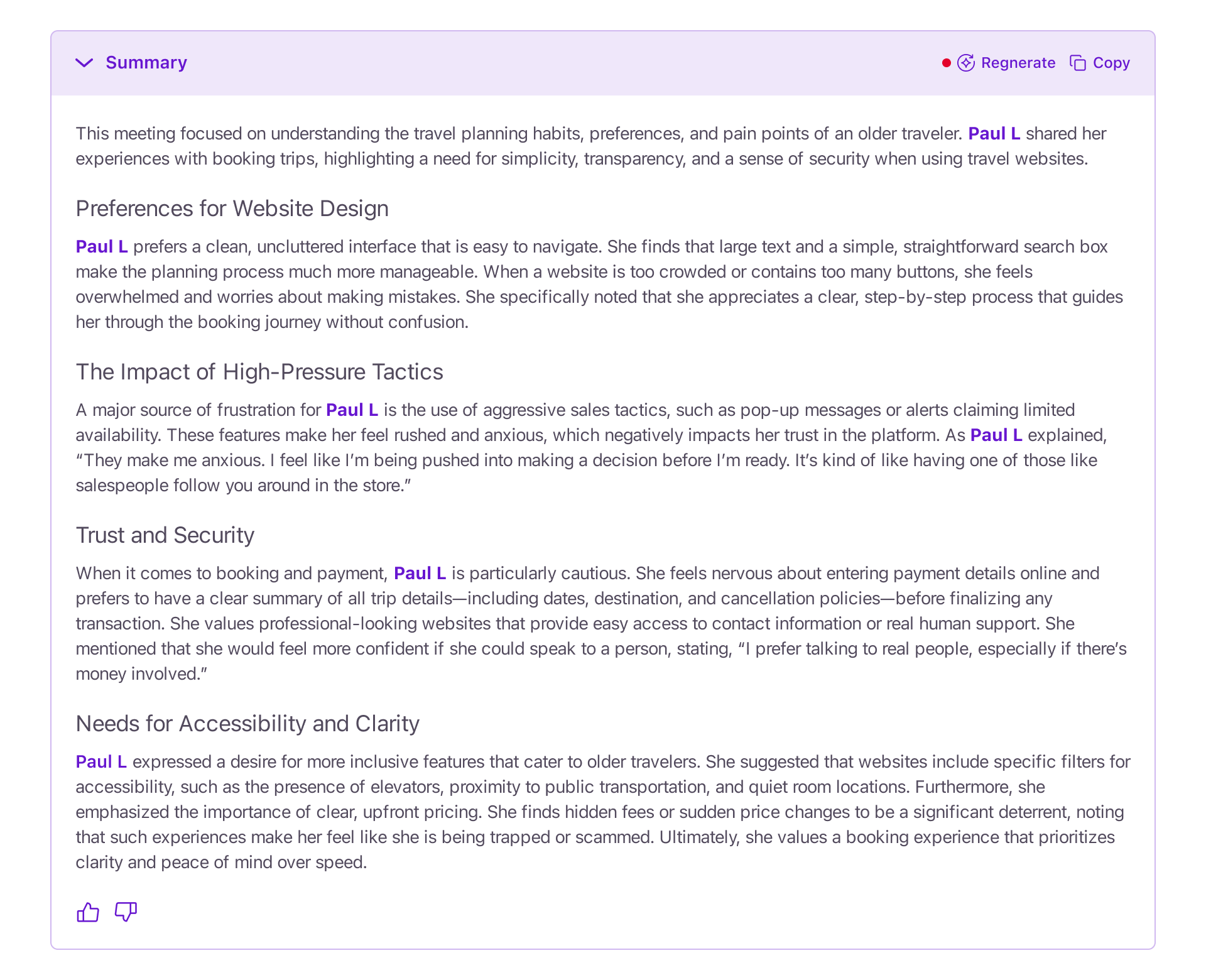
Meeting transcripts will typically require at least 3-5 minutes of conversation in order to produce a summary. However, this is also dependent on factors such as discussion pace, topic complexity and participant count.
Summary Access and Permissions
Platform user roles have different levels of access and permission regarding individual meeting summaries.
Analysts and Moderators have full access to AI Summaries for live activity transcripts. Clients can view summaries and generate the initial summary, provided that AI access is enabled for them under Study Settings > Permissions.
Additional Features
Below are some additional features Analysts and Moderators have at their disposal when generating Meeting Summaries and Key Takeaways for Live Activities:
- Regenerate: AI summaries can be regenerated, which will reprocess the existing summary and replace it with an updated version. Click Regenerate to generate a new version of the summary.
- Copy: AI summaries can be exported by simply selecting Copy and then pasting into an external document or email.
- Feedback: Have any thoughts you’d like to share about the quality and precision of your AI-generated output? Give the summary a thumbs up or a thumbs down to provide your feedback on how we can improve summarization.