
Cross-Meeting AI Summaries for Live Video Interviews
Cross-Meeting AI Summaries provide a single synthesized summary across multiple Live Video Interview (IDI) meetings, helping researchers quickly identify themes, differences, and key insights across participants.
While individual meeting summaries support interview-level understanding, cross-meeting summaries automatically consolidate notable findings across meetings into a single summary experience, providing a unified view of insights across completed meetings and enabling faster insight discovery and stakeholder-ready outputs.
Generating Cross-Meeting Summaries for Interviews
Cross-Meeting AI Summaries become available once a Live Video Interview activity has at least two completed meetings. If fewer than two completed interviews exist, users will see messaging indicating that the summary will become available once additional meetings are completed. When generated, the platform synthesizes insights across eligible meetings to create a single activity-level summary.
Cross-Meeting Summary Structure
To ensure a consistent and scannable review experience, summaries are structured uniformly. Each cross-meeting summary contains the following sections:
- An overall overview
- Key themes and insights
- Supporting evidence and representative quotes
- Variations across participants
- Opportunities or suggestions raised during the discussion
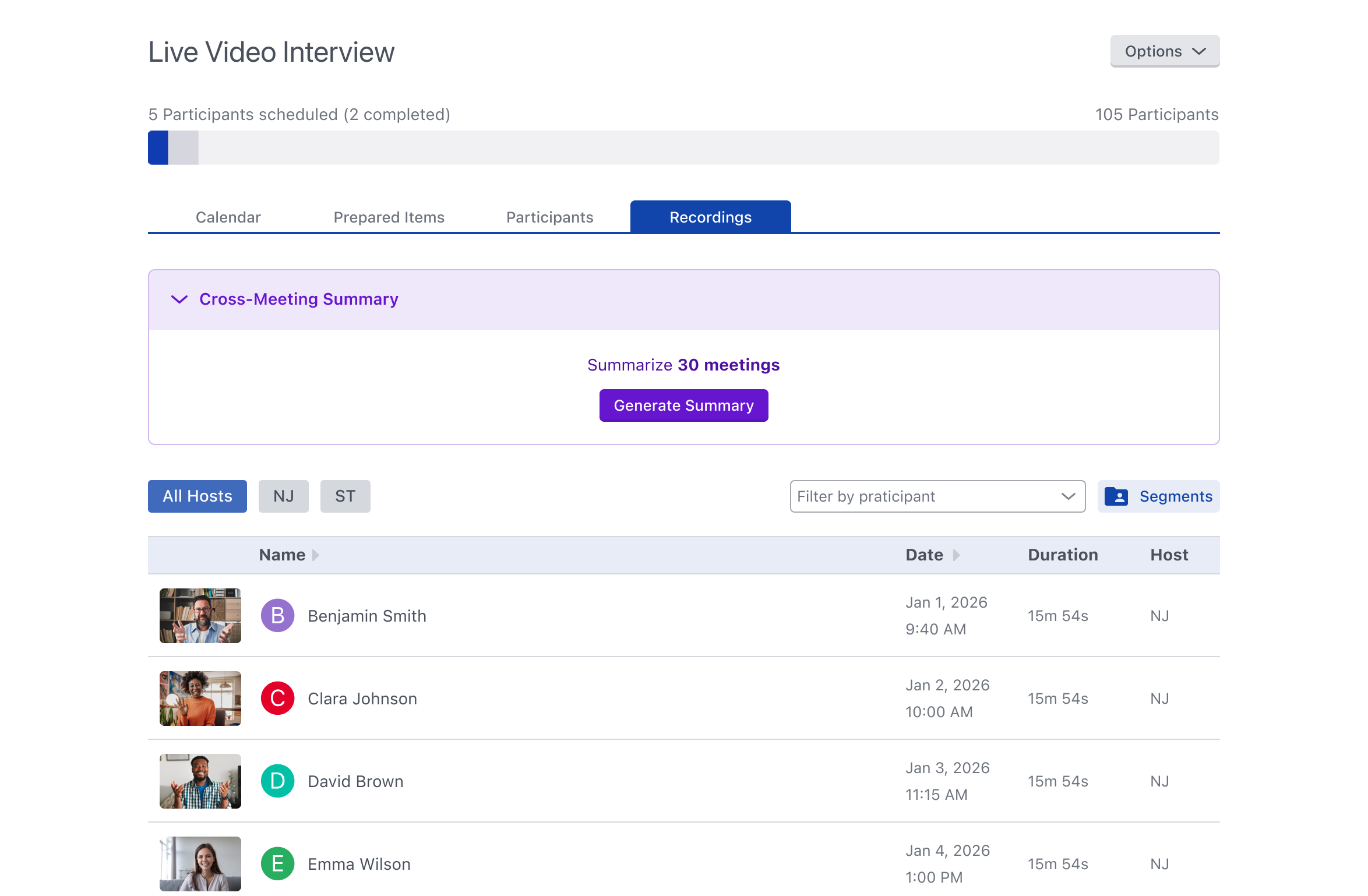
Tracking and Regenerating Summaries
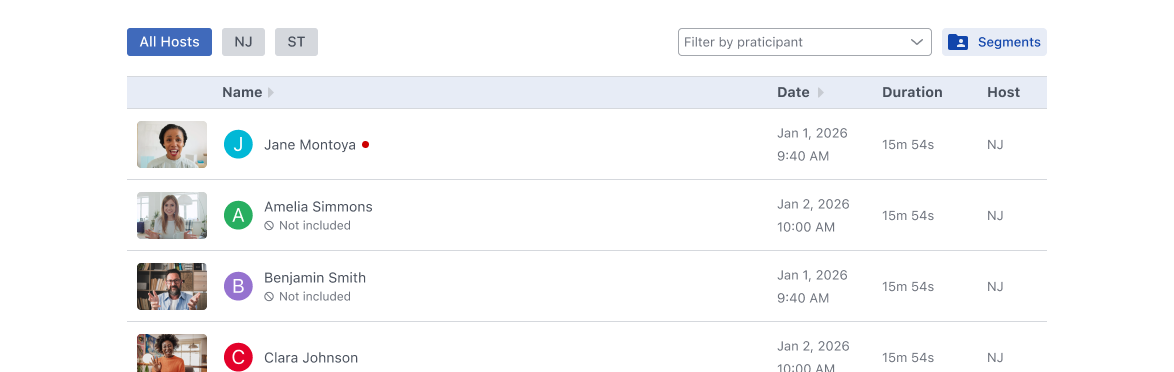
The platform tracks exactly which meetings were included at the time the cross-meeting summary was generated. Meetings that were skipped or deleted before generation will display a Not included indicator along with contextual messaging explaining why they were excluded.
To help researchers understand when a summary may no longer reflect the latest available data, the platform will also surface clear indicators when:
- New meetings are completed after summary generation
- Previously included meetings are skipped or removed
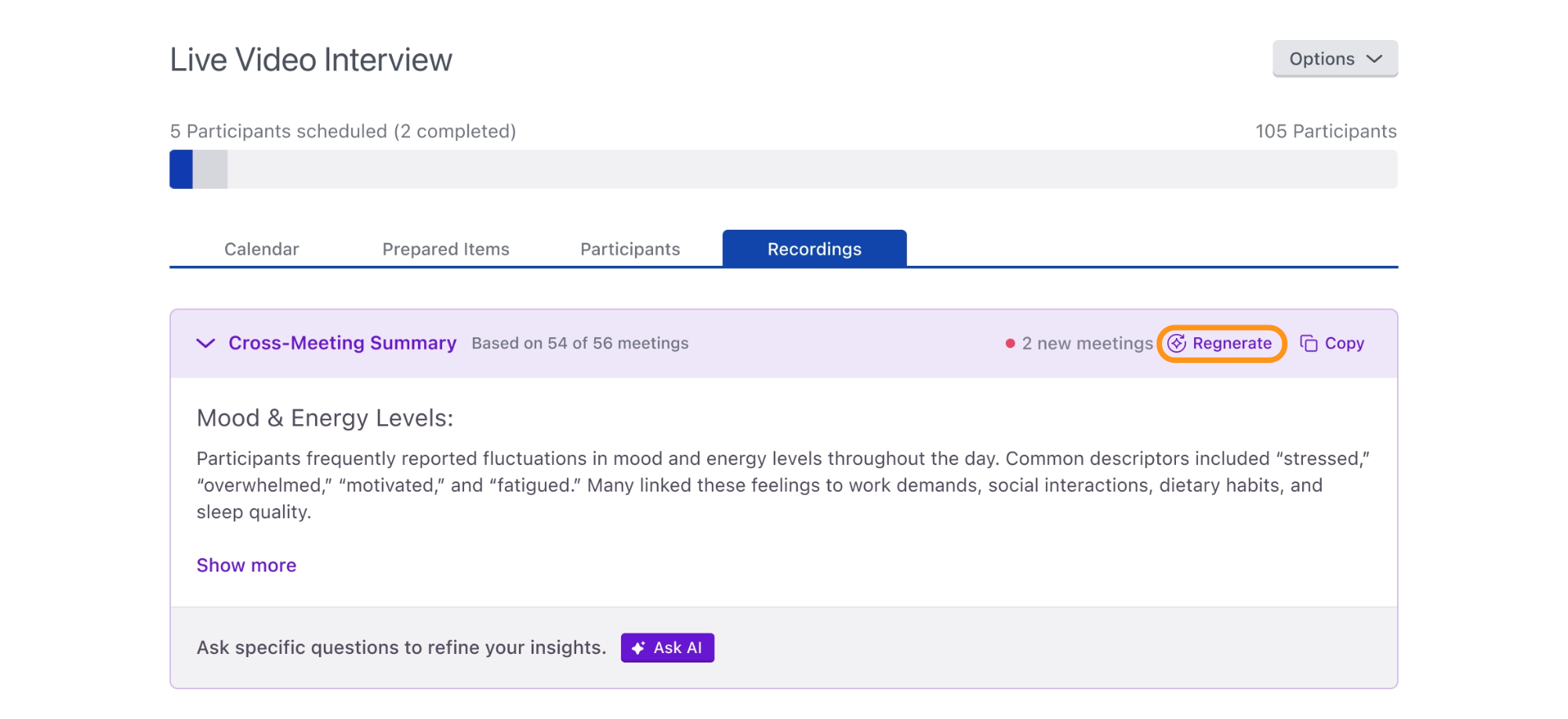
Summary Regeneration
When underlying meeting data changes, Cross-Meeting AI Summaries can be regenerated. Regeneration options become available when:
- New meetings are completed
- Meetings are skipped or deleted
- An individual meeting summary is regenerated
Summary Access and Permissions
Platform user roles have different levels of access and permission regarding cross-meeting summaries.
Analysts and Moderators have full access to Cross-Meeting AI Summaries. Clients can view summaries and generate the initial summary, provided that AI access is enabled for them under Study Settings > Permissions.