Tracking Time Spent
Time Spent provides visibility into how long participants take to complete Activities and Tasks within your Recollective study. This helps researchers better understand the time that participants have committed to answering the questions posed.
Why Use Time on Task Tracking?
This metric ensures you and your team can effectively:
- Validate participant compensation based on actual time spent.
- Identify activities that may require too much effort or contribute to participant drop-off.
- Detect unusual engagement patterns or time-based outliers.
- Better understand participant behaviour and response quality.
How Time on Task Tracking Works
Time on Task Tracking automatically records the amount of time participants spend interacting with supported activities within a study.
The platform captures active engagement time while participants complete activities and surfaces this information throughout key reporting and analysis areas.
Viewing Time Spent Metrics
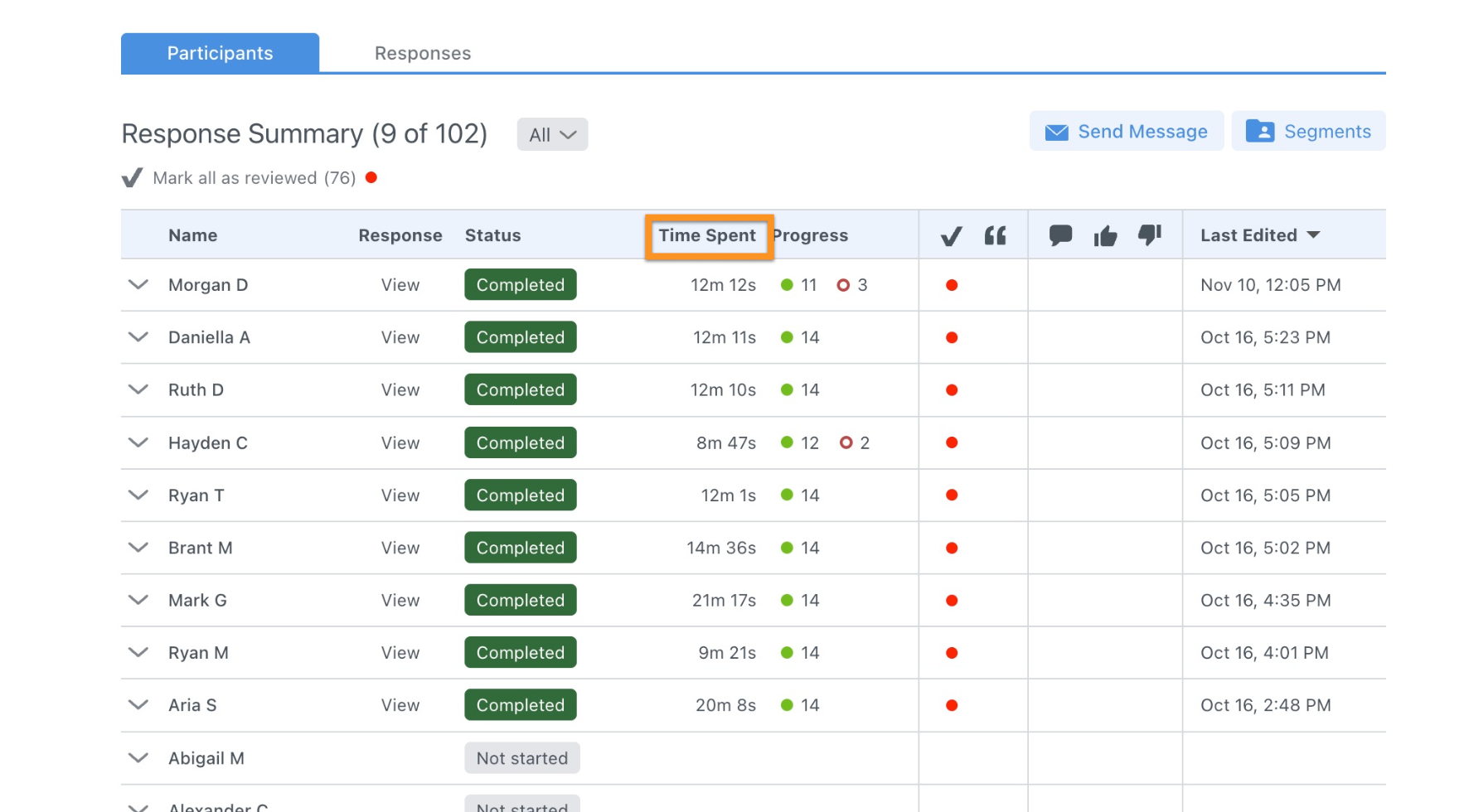
Researchers can view the total time a participant spent completing an activity directly within the Response Summary.
This allows moderators and analysts to compare engagement levels across participants and identify unusually short or long completion times.
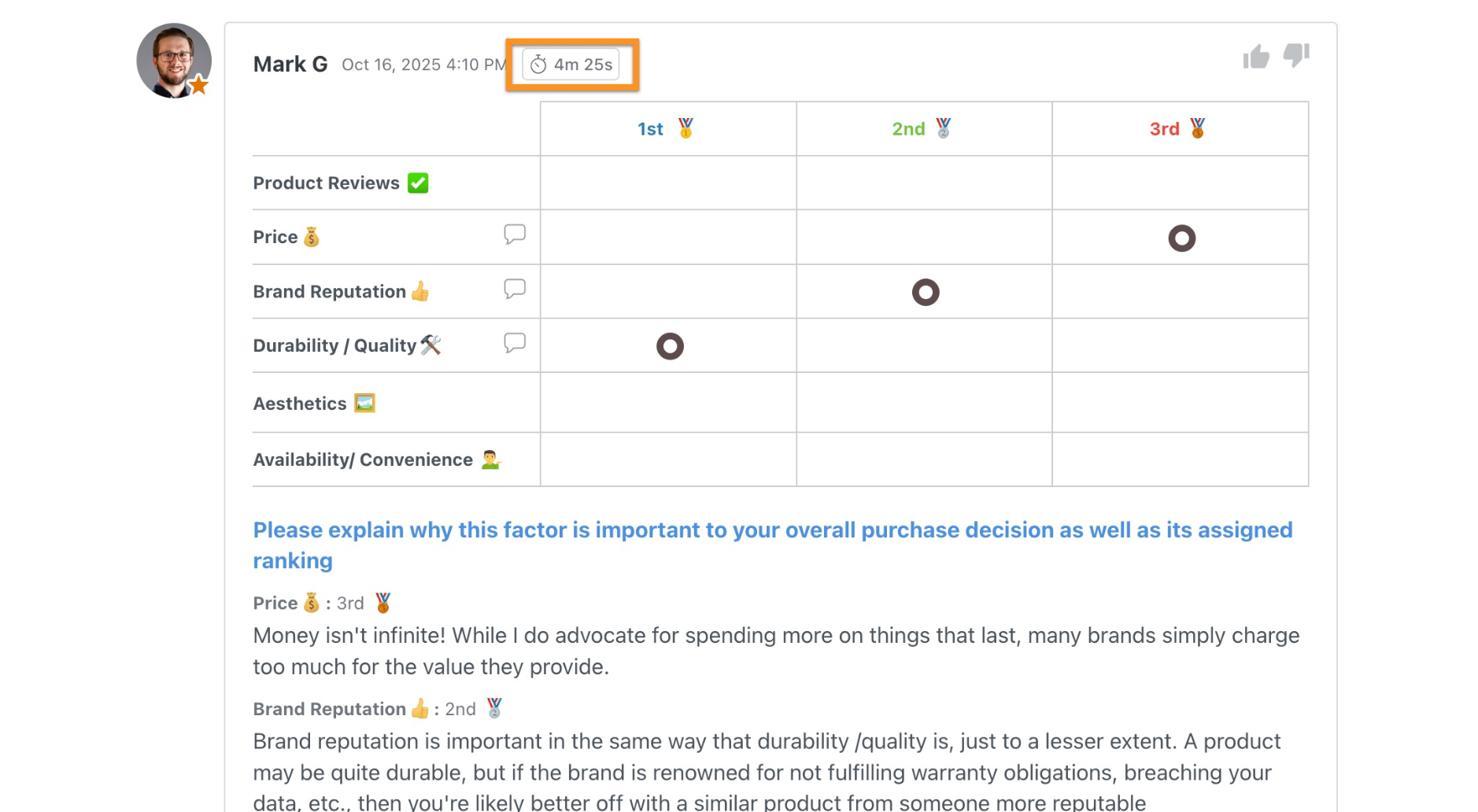
You can also view the amount of time an individual participant spent completing a specific Task by navigating to the applicable Task Response.
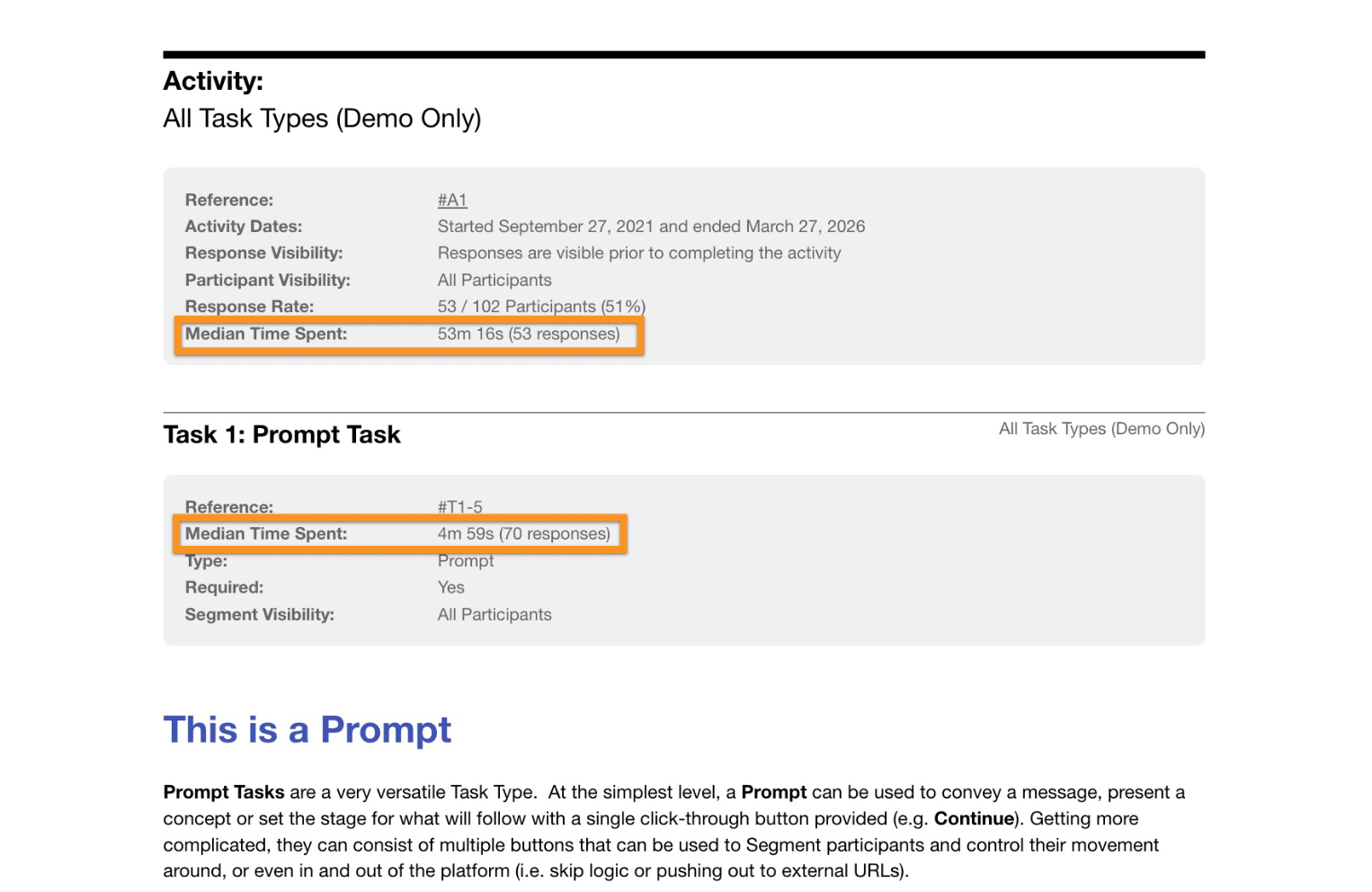
Median Time Spent (MTS)
Median Time Spent (MTS) is available within Activity Transcripts to support deeper qualitative analysis.
Researchers can view MTS values for both entire Activities and individual Tasks, making it easier to benchmark participant engagement and identify potential outliers.